Shea Riley
Full-Stack Software Engineer and Front-end Architect

InstruFax
Musical Instrument History Tracker

Project Overview
Consulting EngagementJune 2025 – August 2025

InstruFax is a community-driven web application for tracking musical instruments by serial number; including ownership history, repair records, and music store profiles.

The application embraces a mobile-first design philosophy. The primary user experience — instrument search, profiles, repair history, and community features — is designed for mobile devices. The web-specific layouts serve administrative and back-office management functions such as store registration approval and user management.

Tech Stack

Next.js 15React 19TypeScriptSupabasePostgreSQLTailwindCSS 4daisyUI 5Auth0OAuth 2.0 / OIDCArcjetLeafletPlaywrightFontAwesomeFigma
Discovery & Planning

The project began with a compelling vision: a platform where musicians could look up instruments by serial number and explore their history. From this foundation, extensive brainstorming and ideation were undertaken to develop detailed user journeys, define comprehensive feature sets, and establish the scope of a minimum viable product.

This discovery work transformed an initial concept into a fully realized project plan, establishing the groundwork needed before the design process could begin:

  • User journey development — Mapped out detailed flows for instrument search, profile creation, repair history tracking, ownership transfer, community messaging, store registration, and admin management
  • Feature definition & MVP scoping — Identified and prioritized the feature sets needed for an MVP, balancing user value with development feasibility to define the true initial scope
  • Architectural decisions — Selected the technology stack, established the repository pattern for data access, defined the role-based access control model, and planned the database schema
  • Security planning — Designed the authentication and authorization strategy using Auth0, defined four RBAC tiers (SuperAdmin, Admin, StoreOwner, Basic), and identified bot protection needs
UI/UX Design

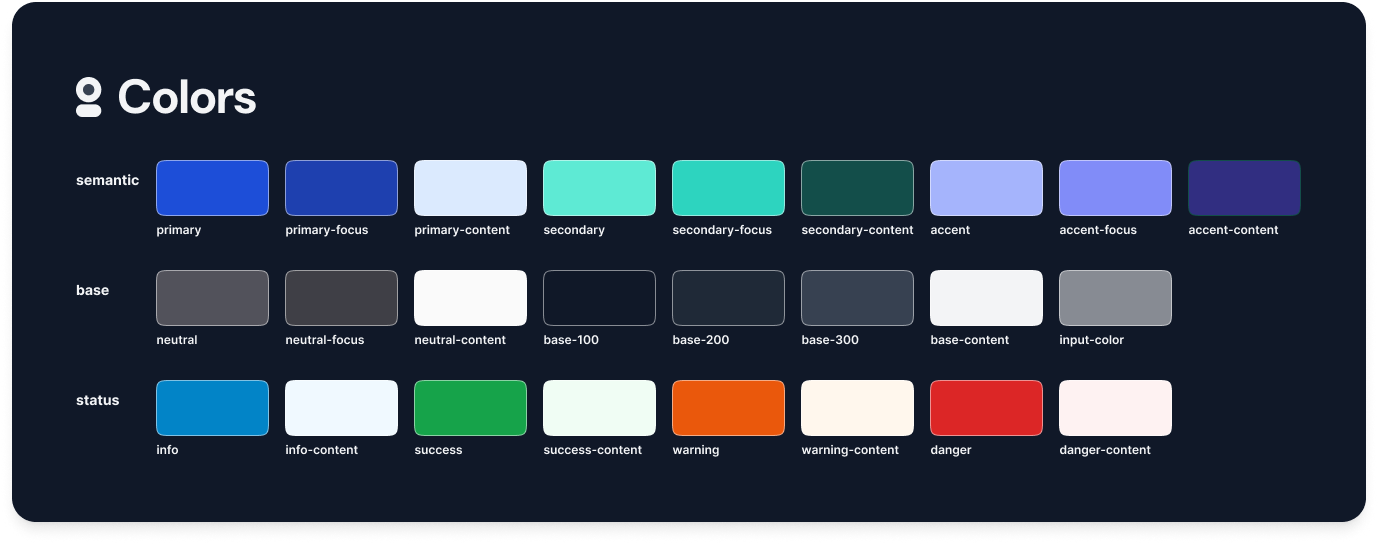
A comprehensive design system and interactive prototype were created in Figma before any development began. The design establishes a dark, professional aesthetic with semantic color tokens, a structured typography scale, and over 20 reusable components; all following a mobile-first paradigm.

Design System

Semantic color palette
Semantic color palette with primary, secondary, accent, base, and status color tokens
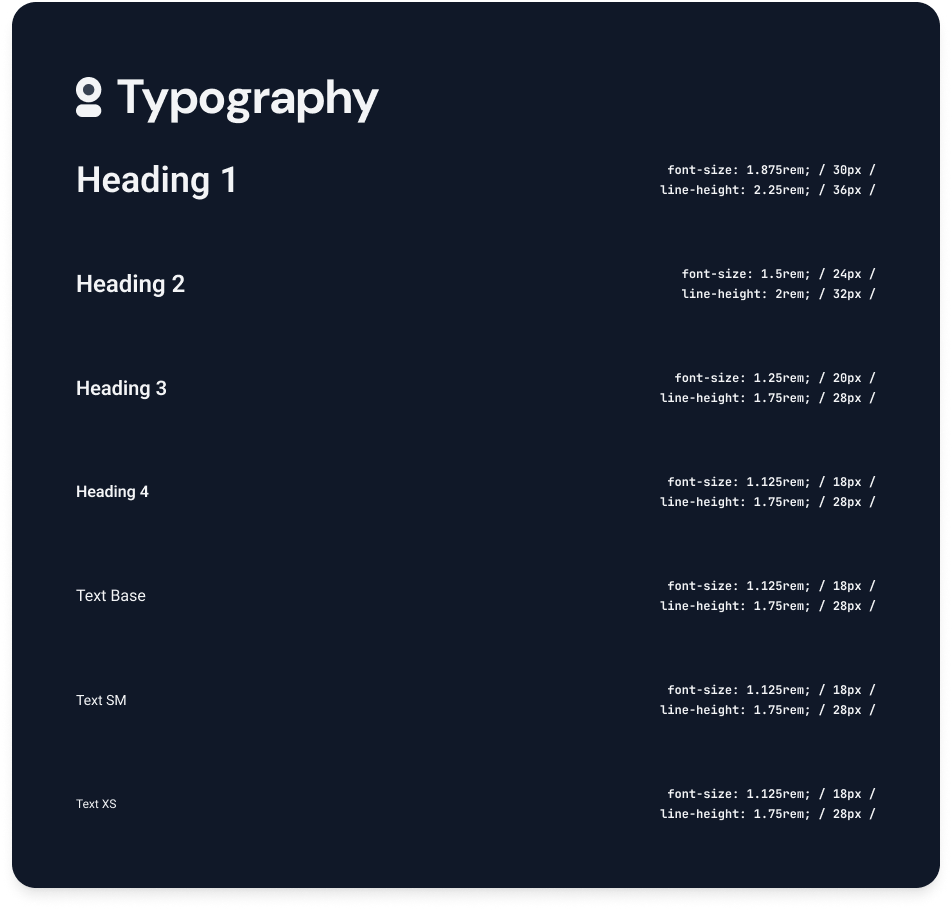
Typography scale
Typography scale with heading and body text formats across multiple sizes

Component Library

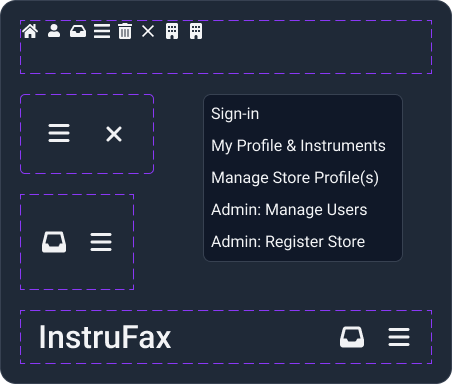
Navigation & icons
Navigation and icon component designs with dynamic state variants
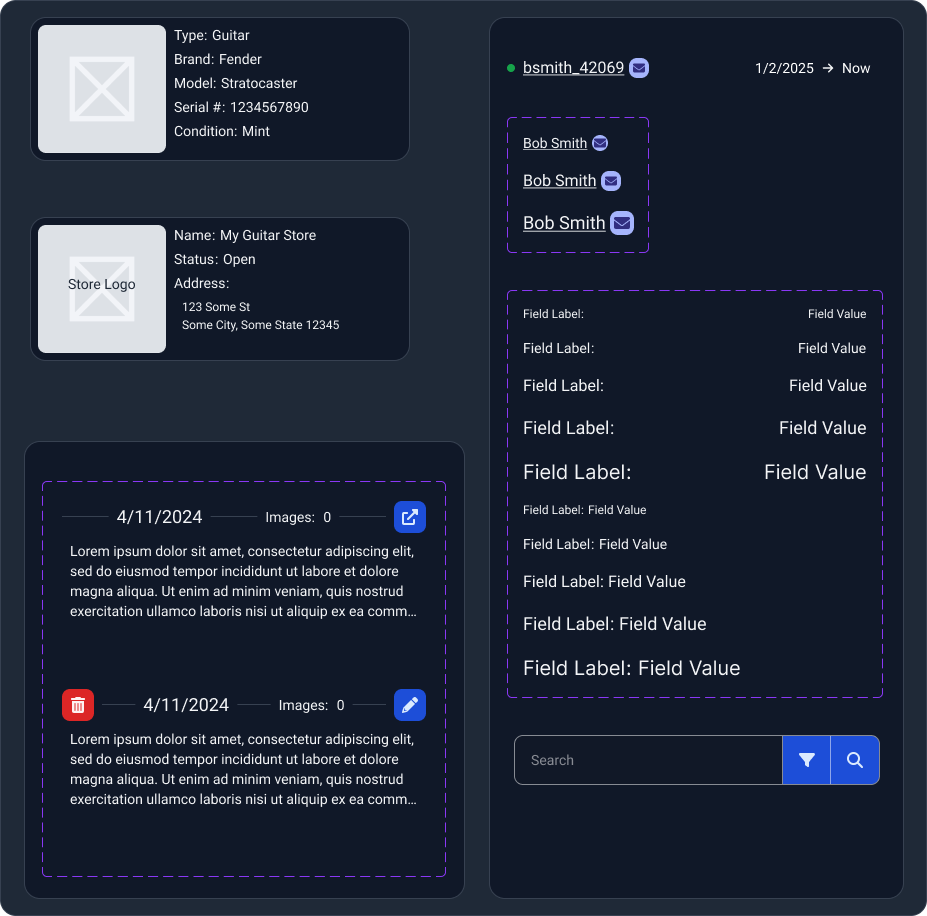
List items & fields
List item and form field component designs with state variants

Mobile Screen Designs

The primary user experience is designed for mobile. These screens cover instrument search, profiles, repair tracking, user accounts, community messaging, and store discovery.

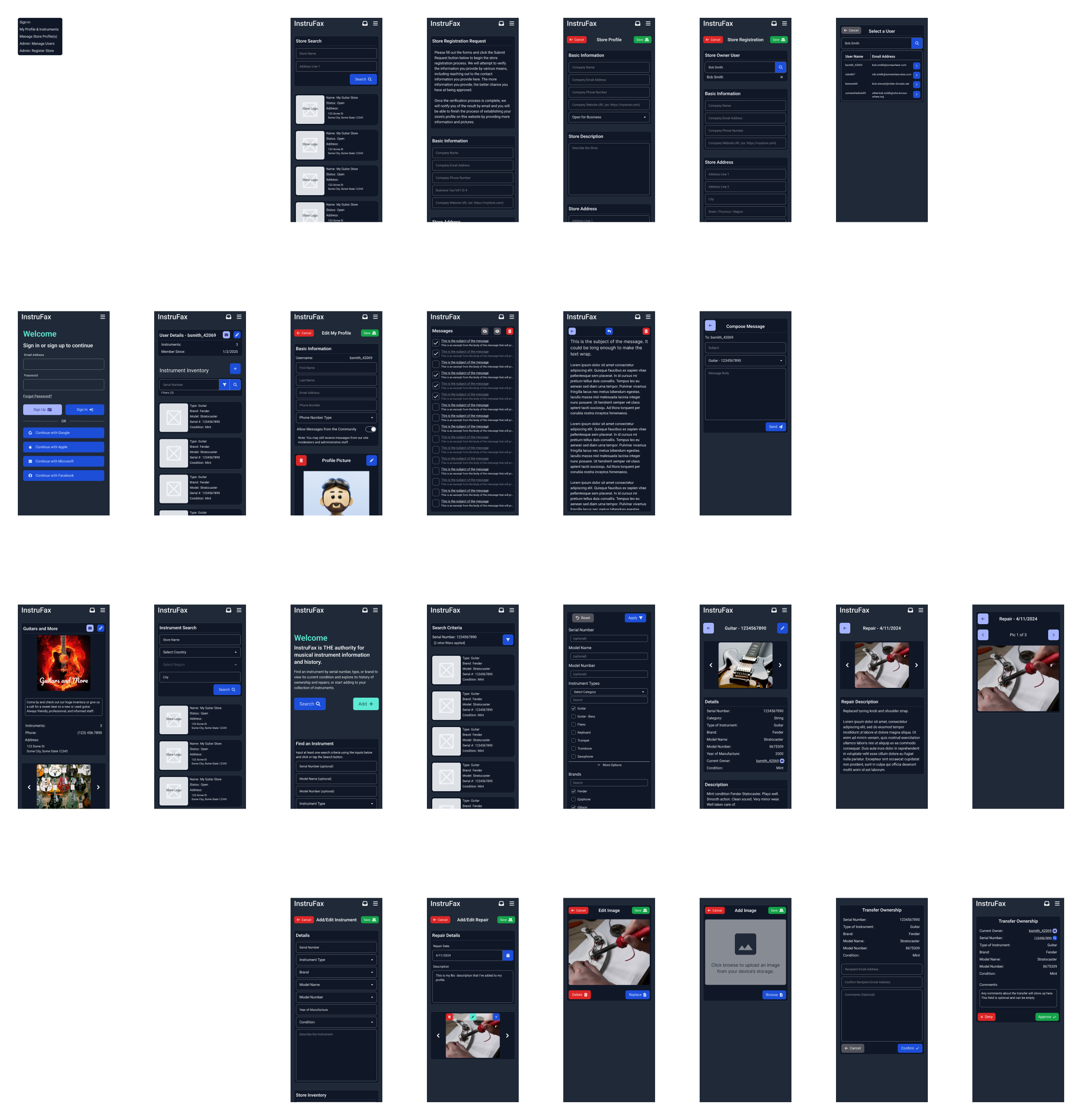
Complete mobile screen overview
Overview of all InstruFax mobile screen designs
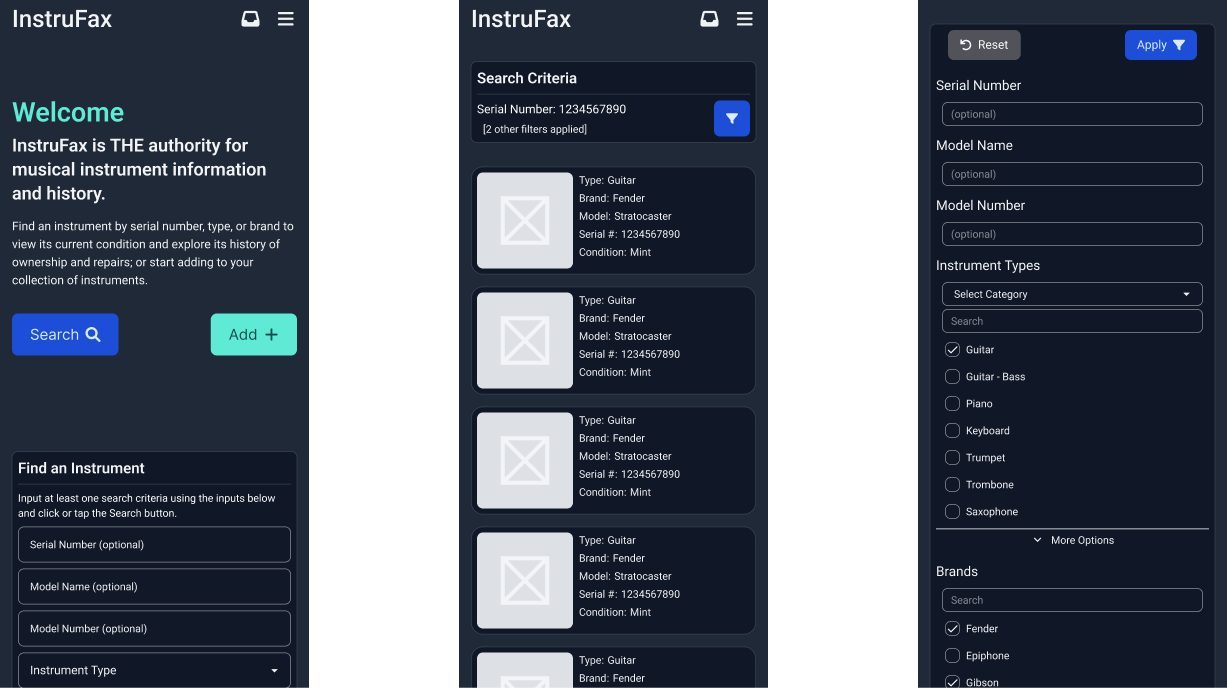
Home, search & filters
Mobile screens: home page with instrument search, search results listing, and search filter panel
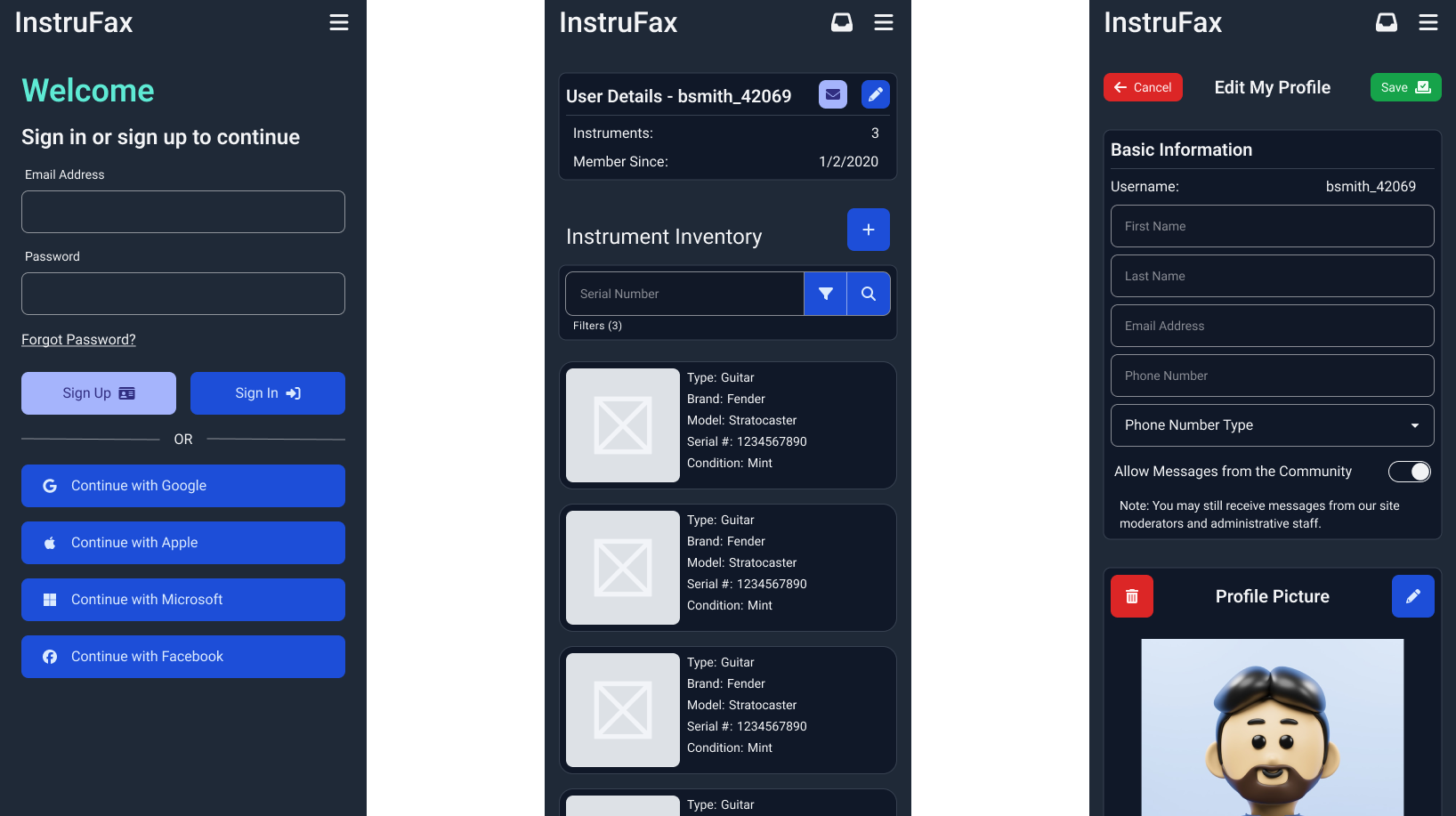
Authentication & user profiles
Mobile screens: sign-in page, user profile with instrument inventory, and profile editor
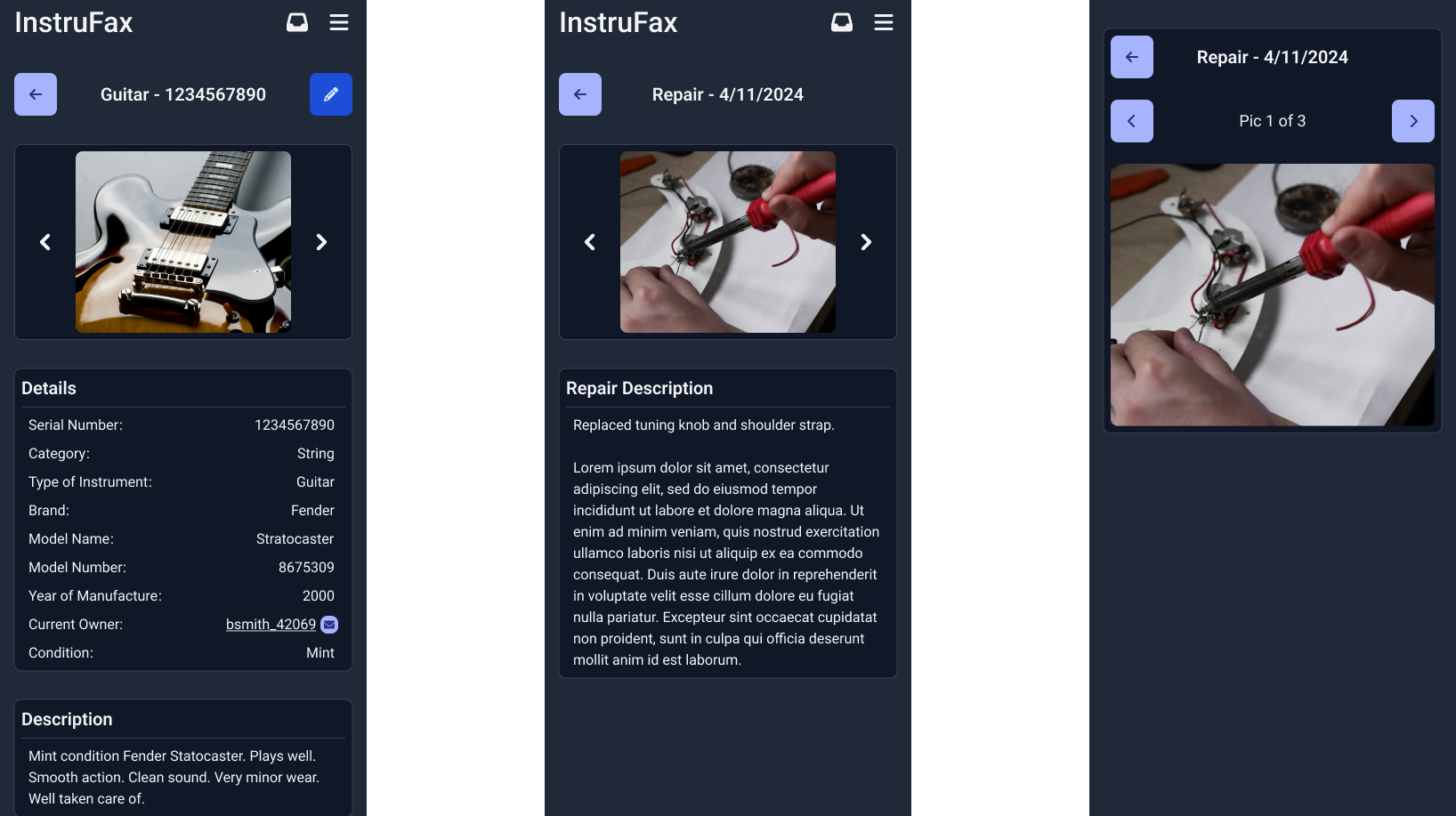
Instrument details & repairs
Mobile screens: instrument detail page, repair entry detail, and repair photo gallery
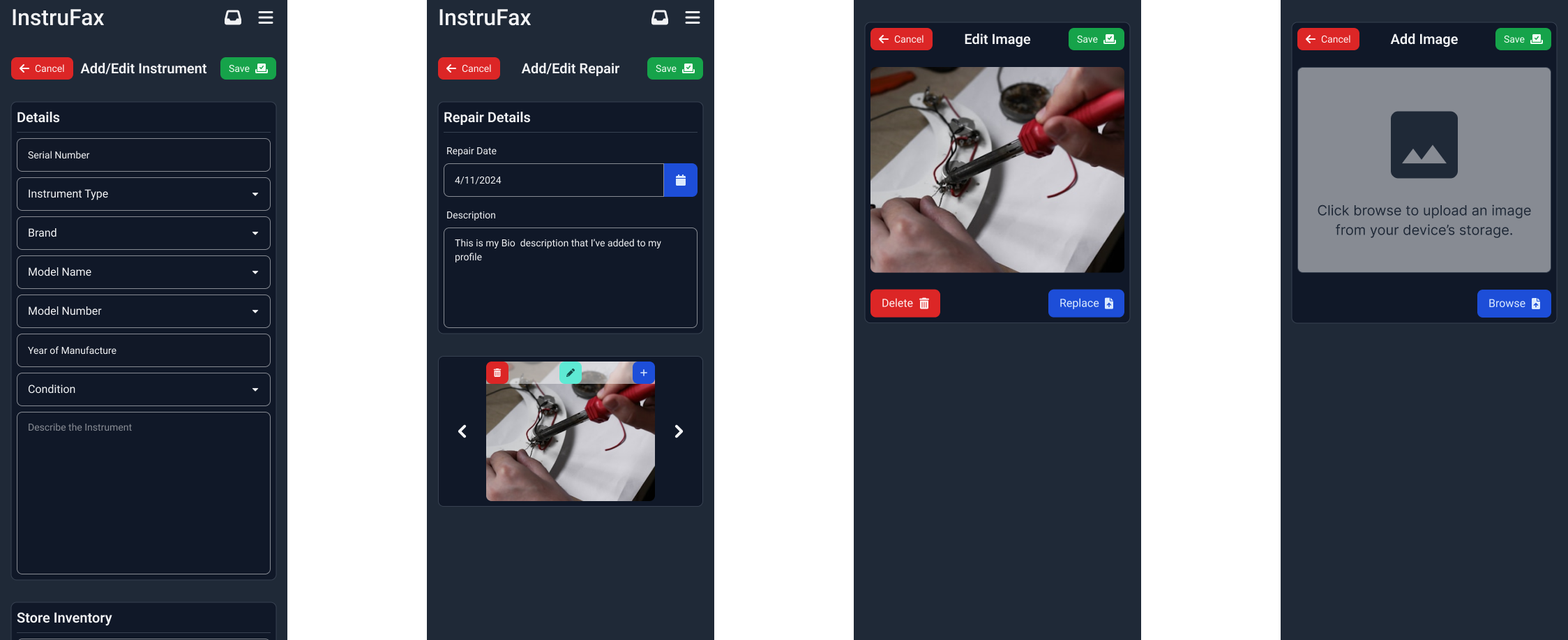
Instrument & repair editing
Mobile screens: instrument profile editor and repair entry editor forms
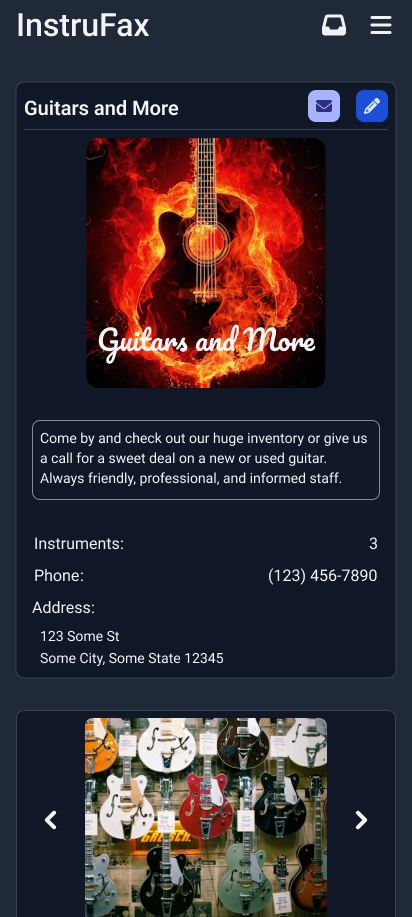
Store profile
Mobile screen: music store profile page with photos, contact info, and instrument inventory

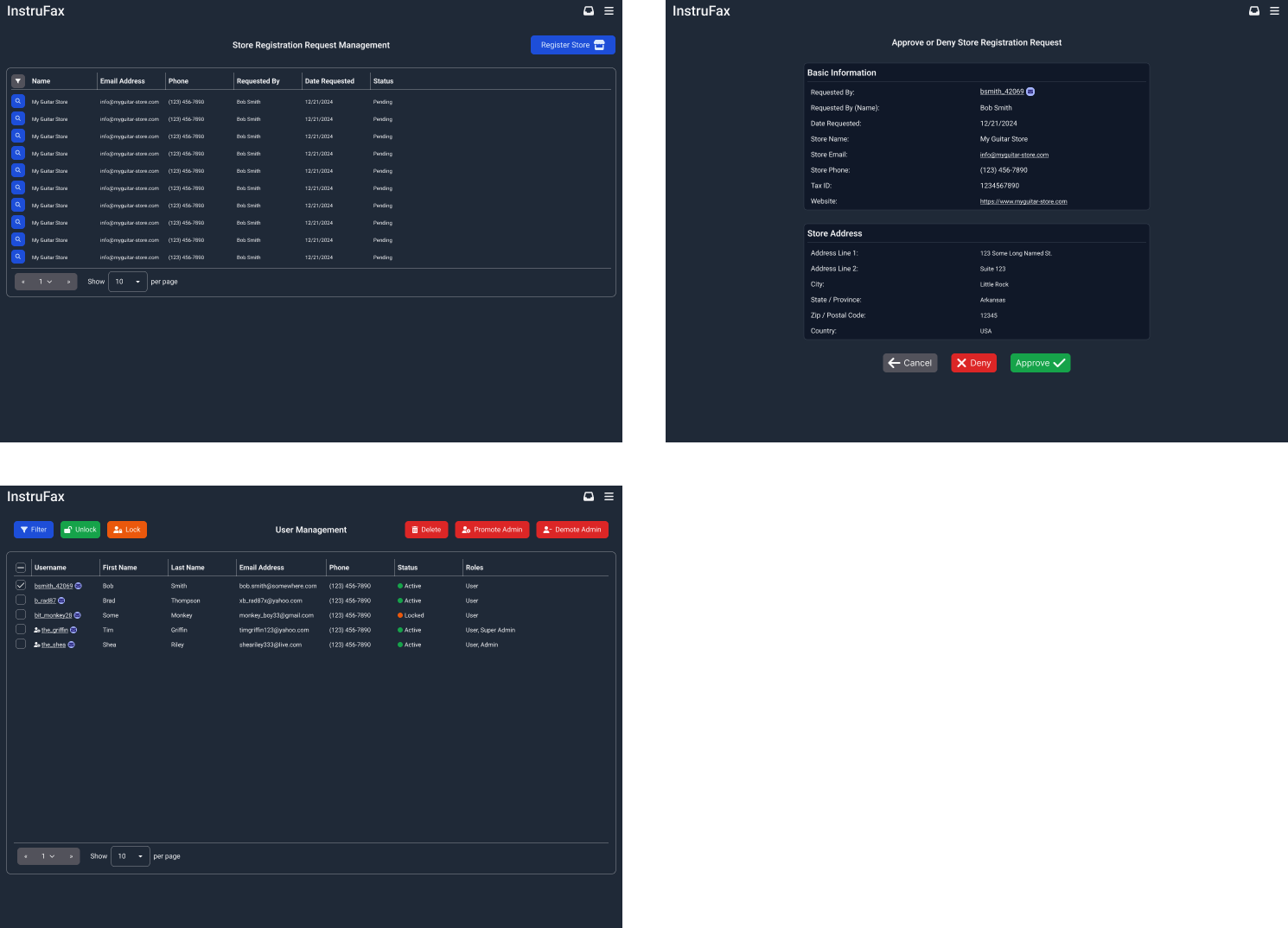
Web Admin Screens

The web layouts serve administrative functions: store registration management, user administration, and approval workflows.

Complete web admin screen overview
Overview of all InstruFax web admin screen designs
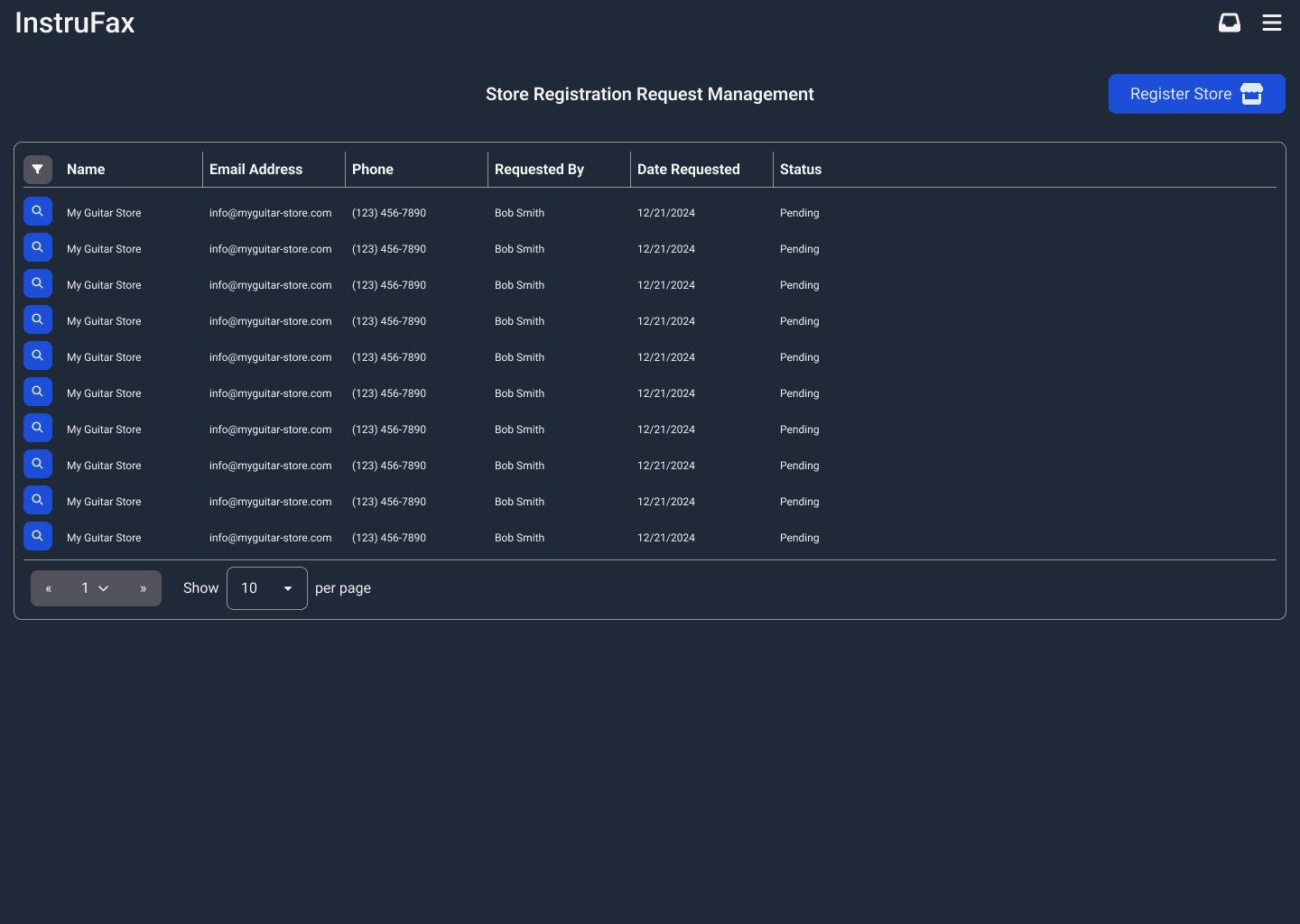
Store registration management
Web admin: store registration request management table with status indicators
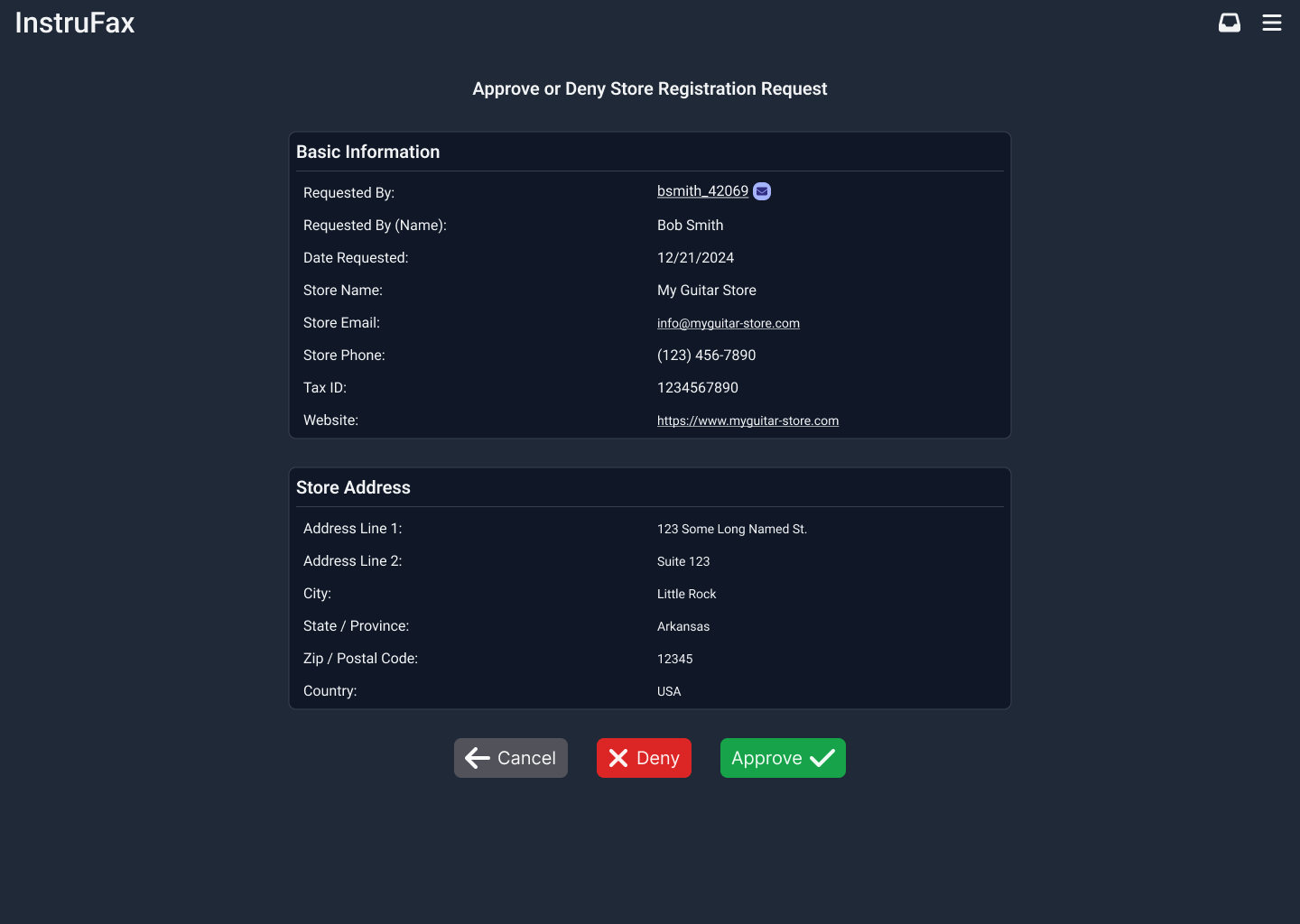
Registration approval
Web admin: store registration approval detail view with approve and deny actions
User management
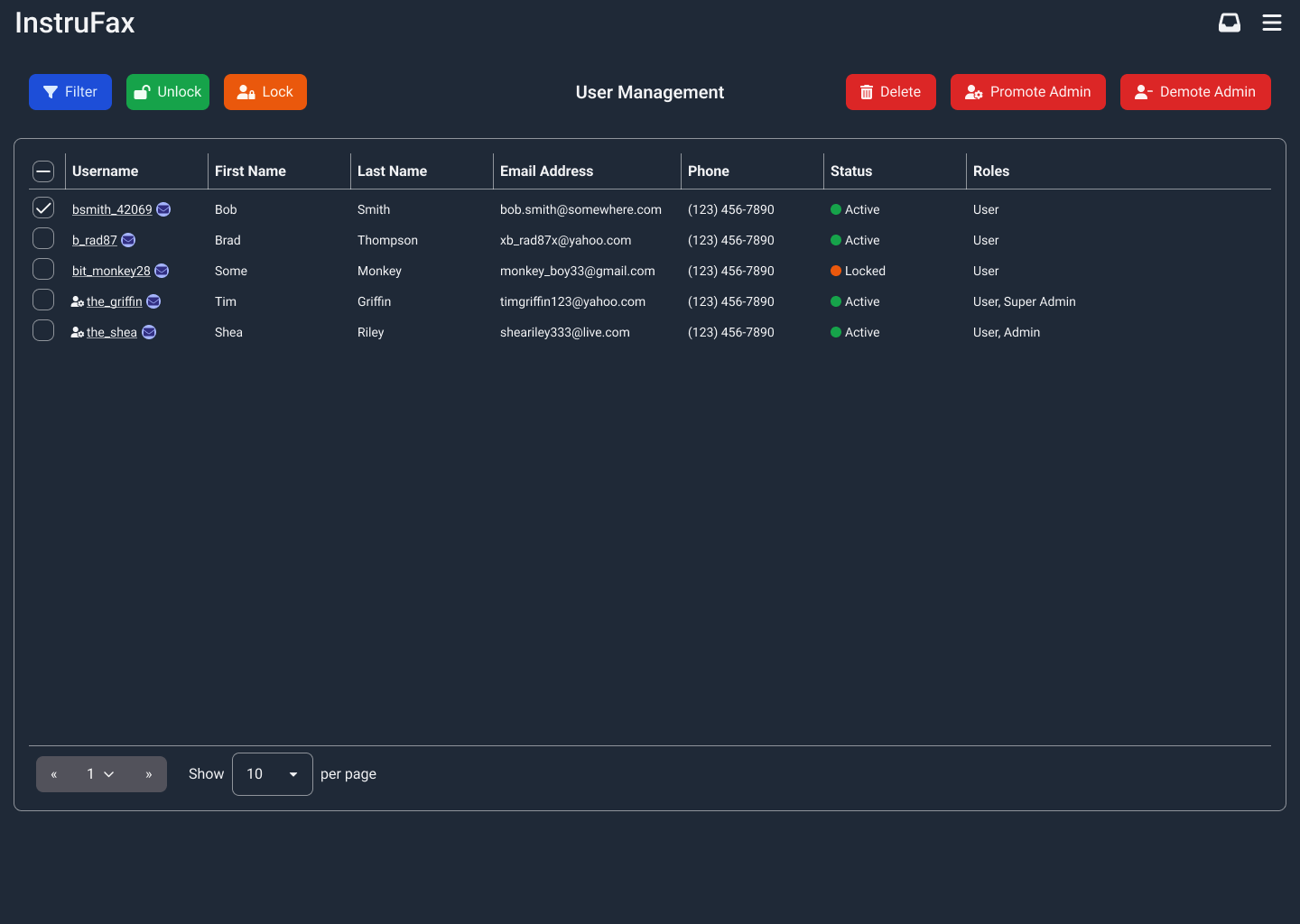
Web admin: user management dashboard with role badges and bulk actions
Interactive Prototype

Explore the mobile-first user experience through the interactive Figma prototype below. Full-screen viewing recommended.

Development

Architecture

  • Repository pattern — Abstracted data access layer using TypeScript interfaces, decoupling components from the Supabase client for maintainability and testability
  • Functional programming paradigm — Preferred functional patterns over classical OOP, with reusable UI components organized under a structured component directory
  • Mobile-first responsive design — TailwindCSS 4 and daisyUI 5 with a custom dark theme, implementing a mobile-first paradigm throughout

Key Features

  • Instrument search by serial number, type, and brand with filterable results and virtualized scrolling for performance
  • Instrument profiles with detailed attributes, photo galleries, ownership history, and repair records
  • Ownership transfer workflow with email verification and accept/decline mechanism
  • Community messaging system with inbox, notifications, and instrument-contextualized conversations
  • Store profile registration with multi-step admin approval workflow
  • User management admin dashboard with role promotion/demotion, account locking, and bulk actions

Security

  • Authentication — Auth0 with OAuth 2.0 and OpenID Connect, supporting Google, Microsoft, Apple, and Facebook identity providers
  • Authorization — Four-tier RBAC (SuperAdmin, Admin, StoreOwner, Basic) with row-level security policies in Supabase
  • Bot protection — Arcjet and Google ReCaptcha for form and API endpoint protection